JavaScript Editor
JavaScript Debugger
JavaScript Editor
JavaScript Debugger|
| ||
As discussed in the In Depth section of this chapter, if you have a FileStream object, you can use the BinaryReader class to read binary data from files. In the BinaryWriterReader example on the CD-ROM, I first write 20 Int32 values to a file and then read them back with a BinaryReader object like this, using the ReadInt32 method, and display them in a text box:
Imports System.IO

Public Class Form1
    Inherits System.Windows.Forms.Form

    'Windows Form Designer generated code

    Private Sub Button1_Click(ByVal sender As System.Object, _
        ByVal e As System.EventArgs) Handles Button1.Click
        Dim fs As FileStream = New FileStream("data.dat", _
            FileMode.OpenOrCreate)
        Dim w As BinaryWriter = New BinaryWriter(fs)
        Dim LoopIndex As Int32

        For LoopIndex = 0 To 19
            w.Write(LoopIndex)
        Next

        w.Seek(0, SeekOrigin.Begin)
        Dim r As BinaryReader = New BinaryReader(fs)

        For LoopIndex = 0 To 19
            TextBox1.Text &= r.ReadInt32() & ControlChars.CrLf
        Next
    End Sub
End Class
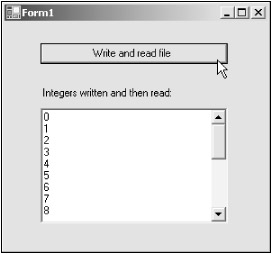
You can see the results of this code in Figure 13.8, where the integers appear in the text box after having been written to the data.dat file and then read back in.
|
| ||
Free JavaScript Editor
JavaScript Editor